
A SMALLER WORKFLOW / APPSCREENSHOOT
Google Play Screenshot Generator
Create listing artwork around your real Android experience. This Google Play screenshot generator fits your captures into phone or tablet canvases, adds a shared headline and exports downloadable files. Use the device target that matches the app you are presenting, then review each result before uploading it yourself. The page offers the studio’s Android 2D frames and 3D Samsung model, plus a no-frame option. The Android device picker keeps Apple frames out of this workflow.
Build a phone or tablet screenshot set
Upload up to eight captures in the intended order. Add a shared headline, choose a theme and generate the images. The source captures are fitted without stretching, leaving room around an image when its aspect ratio differs from the composition. Inspect the result before downloading individual images or a ZIP with numbered filenames.
A shared headline helps you test a visual direction, but a final launch set may need different messages for different features. The full studio offers separate text layers for that work. This focused tool keeps the task smaller: one target, one orientation and one repeatable layout per batch. Changing the inputs or settings clears previous results.
Choose the Android experience you want to show
Start with captures from a real Android device or emulator. Use meaningful sample data and a state that demonstrates the feature behind your headline. Do not upload an iPhone screen and assume that changing the output size makes it an Android screenshot. Navigation, controls and supported layouts should match the experience customers will actually receive.
For tablet listings, capture the tablet interface separately when it differs from the phone layout. A centered phone screen on a larger canvas can be visually tidy while still failing to explain the larger-screen product. This generator preserves the source image; it does not invent a tablet layout or move the controls within your app.
FRAMELESS SAMPLE / FICTIONAL DEMO
See the example result
This frameless sample was generated by this page’s tool using fictional demo content. Load the example above to preview your chosen 2D or 3D device frames, change the settings and generate your own downloadable version.
Download example preview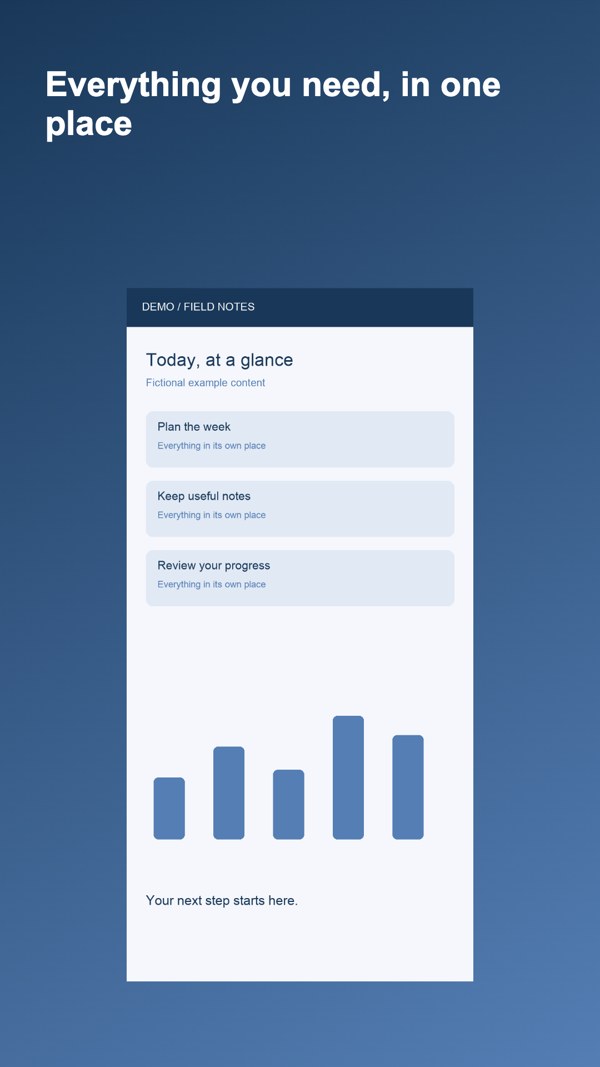
Google Play screenshot generator targets and formats
The phone preset uses 1080 × 1920 pixels. The tablet choices include portrait and landscape canvases, with their dimensions shown in the selector. These are useful working presets, not the only image dimensions Google Play accepts. General screenshot requirements and recommendations for particular display surfaces are different, so consult the official reference for your own listing.
Export as JPEG or 24-bit RGB PNG without an alpha channel. Every file in a batch uses the chosen target and orientation. A feature graphic is a separate wide asset, not another portrait screenshot; use the dedicated feature graphic generator when you need that file. This page does not combine all device classes into a single automatic export.
Review the files and the claims separately
Dimensions cannot tell you whether a headline accurately describes your app. Check that every image shows functionality present in the release, that no personal information remains in sample accounts, and that important controls stay readable when the screenshot is reduced. Avoid covering most of the interface with promotional copy that does not explain the real product.
The generator does not connect to Play Console, fetch listing images, translate captions or certify policy compliance. Upload your downloaded files yourself after reviewing current Google guidance. A valid image file is one part of a useful listing; the source experience, truthful wording and a coherent sequence still require your judgment.
Questions about google play screenshot generator
Are these the only accepted Google Play sizes?
No. The selector provides working phone and tablet presets. Google publishes general dimension rules and additional recommendations for different surfaces. Check the current official guidance rather than treating one preset as the only accepted size.
Can I add an Android device frame?
Yes. Choose 2D for Pixel or Nothing phone frames and available colors, or 3D for the studio’s Samsung model. Your actual app capture is fitted to the device screen. Use no-frame mode for plain captures, or the full studio for independent layer editing.
Can I make phone and tablet files together?
Each batch uses one target and orientation. Generate a phone batch, then a separate tablet batch using suitable source captures. The tool does not automatically rebuild a phone interface into a tablet experience.
Can I use WebP source images?
Yes. PNG, JPEG and WebP can be used as sources within the file limits. Downloads are JPEG or 24-bit RGB PNG. A source format being readable here does not mean it is a store submission format.
Where do I make the feature graphic?
Use the related feature graphic tool for the separate 1024 × 500 asset. A feature graphic has a wide composition and different purpose. Do not crop a portrait screenshot and assume it communicates the same message.
Will the tool publish my screenshots?
No. It creates downloadable files in your browser. You upload them yourself to Play Console after checking the target, content and current rules. No developer account connection is required by this page.
Reference: Google Play preview asset guidance. Tool catalog checked October 3, 2026. Review current store requirements before submission.