
A SMALLER WORKFLOW / APPSCREENSHOOT
iPad Screenshot Generator
Give your tablet interface room to be seen. This iPad screenshot generator fits real app captures into a selected iPad canvas, adds a headline and produces downloadable images in portrait or landscape. Start with your actual iPad screens rather than stretching a phone capture. The fictional tablet example shows the workflow, but your final listing should represent the interface customers get on their own device.
Choose an iPad size and orientation
The size selector lists the iPad targets maintained by this site, including the 13-inch presets at 2064 × 2752 and 2048 × 2732. Landscape swaps the chosen width and height. Other catalog presets are available when you need to prepare a different device class; confirm which classes your own App Store Connect listing asks you to supply.
Canvas dimensions and device artwork are separate concepts. Choose a 2D iPad frame and color, or the studio’s 3D iPad model with adjustable angles. No-frame mode is available when the product interface should stand alone. Selecting an iPad device does not automatically transfer an iPhone composition. Use the full studio if your design needs independently placed captions, callouts or additional device imagery.
FRAMELESS SAMPLE / FICTIONAL DEMO
See the example result
This frameless sample was generated by this page’s tool using fictional demo content. Load the example above to preview your chosen 2D or 3D device frames, change the settings and generate your own downloadable version.
Download example preview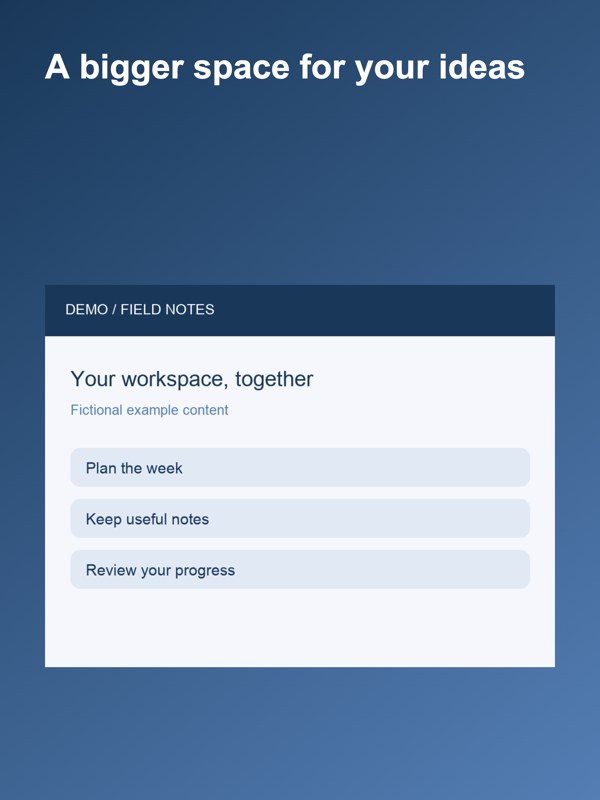
Use the iPad screenshot generator for a consistent set
Choose up to eight tablet captures, select the canvas and orientation, and add a short headline. All images in the batch use the same background theme and headline. The captures remain in the order you selected them. Generate the set, review each result and download individual files or a numbered ZIP.
The tool accepts PNG, JPEG and WebP sources, with a limit of 20 MB per file and 80 MB total. Output is JPEG or 24-bit RGB PNG without alpha. Processing stays in your browser, and downloaded files do not go directly to App Store Connect. Changing a setting clears the old output so you know when a new export is needed.
Check dense interfaces at a smaller display size
A large tablet screenshot can contain many controls, but your listing visitor may first see a small thumbnail. Make sure the main task is visible without requiring someone to read every row in a table. A short headline should explain what the capture demonstrates rather than describe every menu item. Export an early version and inspect it at a reduced display size.
This tool fits the entire capture within the composition. It does not enlarge a selected detail or judge legibility automatically. If a dense interface needs a callout or a different arrangement, use the studio’s editable layers. Keep portrait and landscape sources coherent, and avoid implying that the app supports an orientation you do not actually ship.
Start with the actual tablet experience
An iPad listing often needs to show information that a phone layout cannot reveal: a wider document, a sidebar, a larger timeline or two areas used together. Capture that real interface on an iPad or in an appropriately configured simulator. Choose a state with useful sample content, and remove personal information before adding the capture here.
The generator preserves your source image’s proportions. It cannot convert a phone app into a tablet app or recreate UI outside the capture. A phone image may fit inside a tablet canvas, but that visual fit is not evidence of a genuine iPad experience. Use the correct source and review the entire composition before export.
Questions about ipad screenshot generator
Can I turn an iPhone screenshot into an iPad screenshot?
You can place an image on a larger canvas, but that does not create the real iPad interface. Use a capture from your actual tablet app or simulator. The generator does not reconstruct missing UI.
Which iPad dimensions are available?
The selector uses this site’s iPad catalog, including 2064 × 2752 and 2048 × 2732 portrait presets. Landscape reverses those dimensions. Check the required device classes for your listing against Apple’s current reference.
Does it add an iPad frame?
Yes. Choose 2D for the studio’s iPad frames and their available colors, or 3D for an angled iPad model. Choose no frame to show the interface alone. For additional layers and more complex compositions, use the full screenshot studio.
Can I export a batch?
Yes. Upload up to eight captures in the intended order. The batch shares a target, orientation, theme and headline. Download each result or a ZIP containing the numbered images at the selected dimensions.
Can I create landscape screenshots?
Yes. Select landscape before generating and use source images from that experience. Rotating the output dimensions does not rotate or rebuild the app interface inside your original capture.
Do images leave my browser?
The tool processes the selected image pixels in your browser. It does not submit the files to a store. The site’s normal analytics may record tool usage, so local image processing is not a claim that the site makes no network requests.
Reference: Apple screenshot specifications. Tool catalog checked October 3, 2026. Review current store requirements before submission.